
orcad2kicad — the free tool that converts OrCAD schematics to KiCad
orcad2kicad automatically converts an OrCAD schematic (a native .DSN file or an EDIF 2.0.0 export) into a real, stable KiCad 10 project, then verifies it net by net against the PADS netlist OrCAD exports so nothing gets silently dropped or miswired — free and open source under the MIT license.
Want off OrCAD without redrawing every schematic by hand?
Teams grow uneasy about staying on OrCAD for pretty much the same reasons every time: the license cost stops matching the size of the team, support for a given version quietly lapses, and the roadmap gets unclear enough that betting the toolchain's future on it feels risky. KiCad, meanwhile, is free, plugs well into the open-source ecosystem, and has active library, documentation, and community support — so the pull to move the whole toolchain over is natural.
The catch is that the only way out looks like redrawing the schematic from scratch. Hand-copying a board with hundreds of pins and thousands of nets without a mistake is a genuinely daunting job, and the fear that one slip becomes a wiring error is exactly what keeps the decision on hold. orcad2kicad automates that migration — and instead of stopping at "converted," it lets you confirm "converted correctly."
What it does
Reads an OrCAD schematic into a real KiCad 10 project, then checks the result matches the original.
.DSN file (no OrCAD installation needed) or an EDIF 2.0.0 export, or a project already imported into KiCad.kicad_sym / .kicad_sch / .kicad_pro.DSN input gets [3]PADS.pretty, fills in schematic footprint fields, and reports reference/pin differences between board and schematic ([4]) — ready for KiCad's own Update PCB from SchematicHow to convert a .DSN file without OrCAD
No OrCAD license required. orcad2kicad's "prepare portable KiCad nightly" feature downloads and extracts a KiCad nightly build without ever running an installer, so all you need is the .DSN file itself to get started right away.
- 01
Download the latest release zip from GitHub Releases and unzip it
It's an archive, not an installer — just unzip it into a folder of your choice.
- 02
Run orcad2kicad.exe and choose .DSN as the input type
The GUI supports Korean and English; point it at the OrCAD .DSN file you want to convert.
- 03
Use "prepare portable KiCad nightly" to set up the .DSN import environment
It auto-detects one you already have — the first time, one button downloads the official archive and extracts it (no installer, nothing installed).
- 04
Point it at a PADS netlist/board file for verification and run the conversion
Conversion and net-by-net verification run together. If you supply a PADS board file, board linking happens in the same pass.
- 05
Check the summary on the results tab, then continue in KiCad
If everything checks out, open the generated .kicad_pro in stable KiCad 10 and keep working from there.
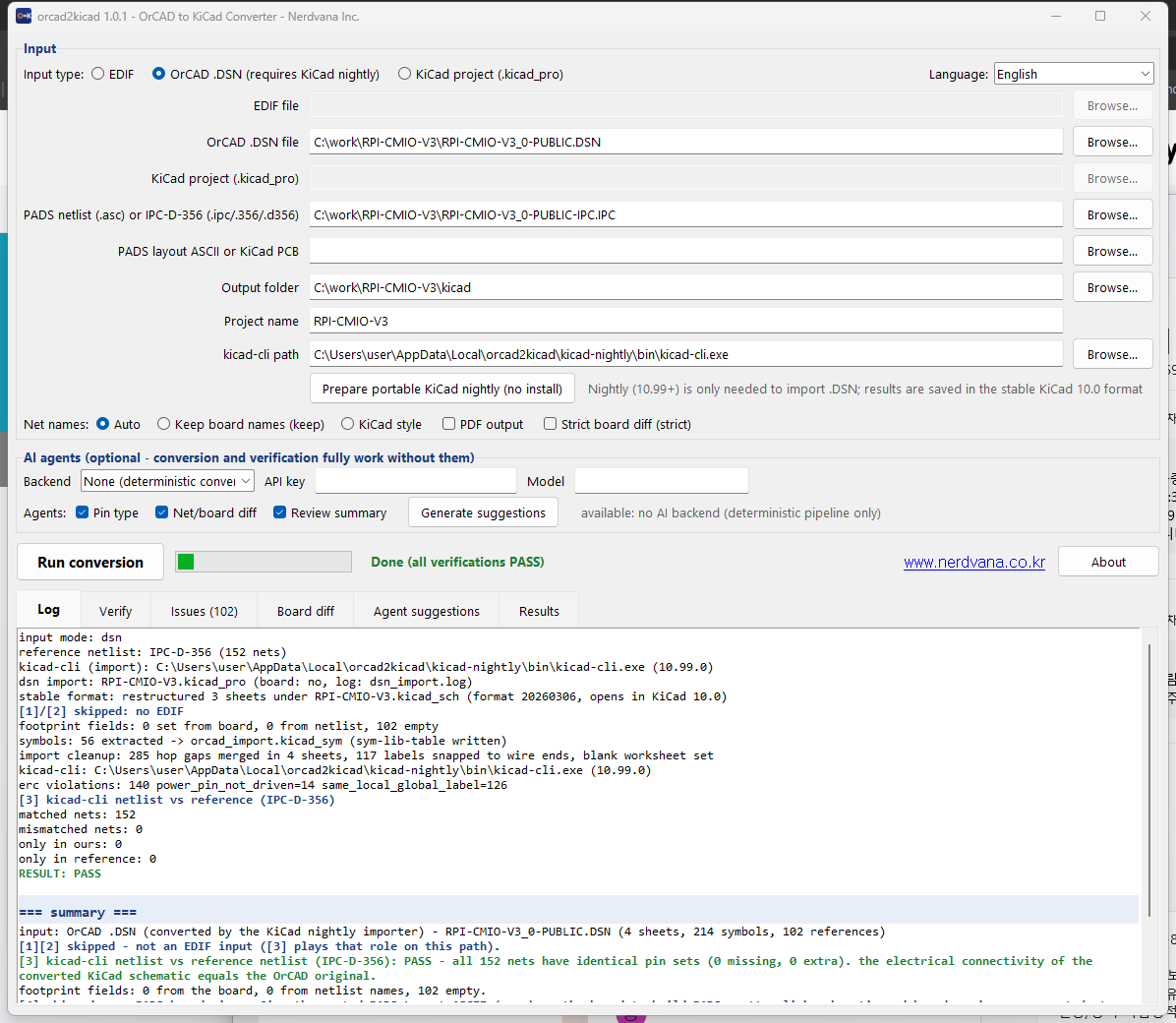
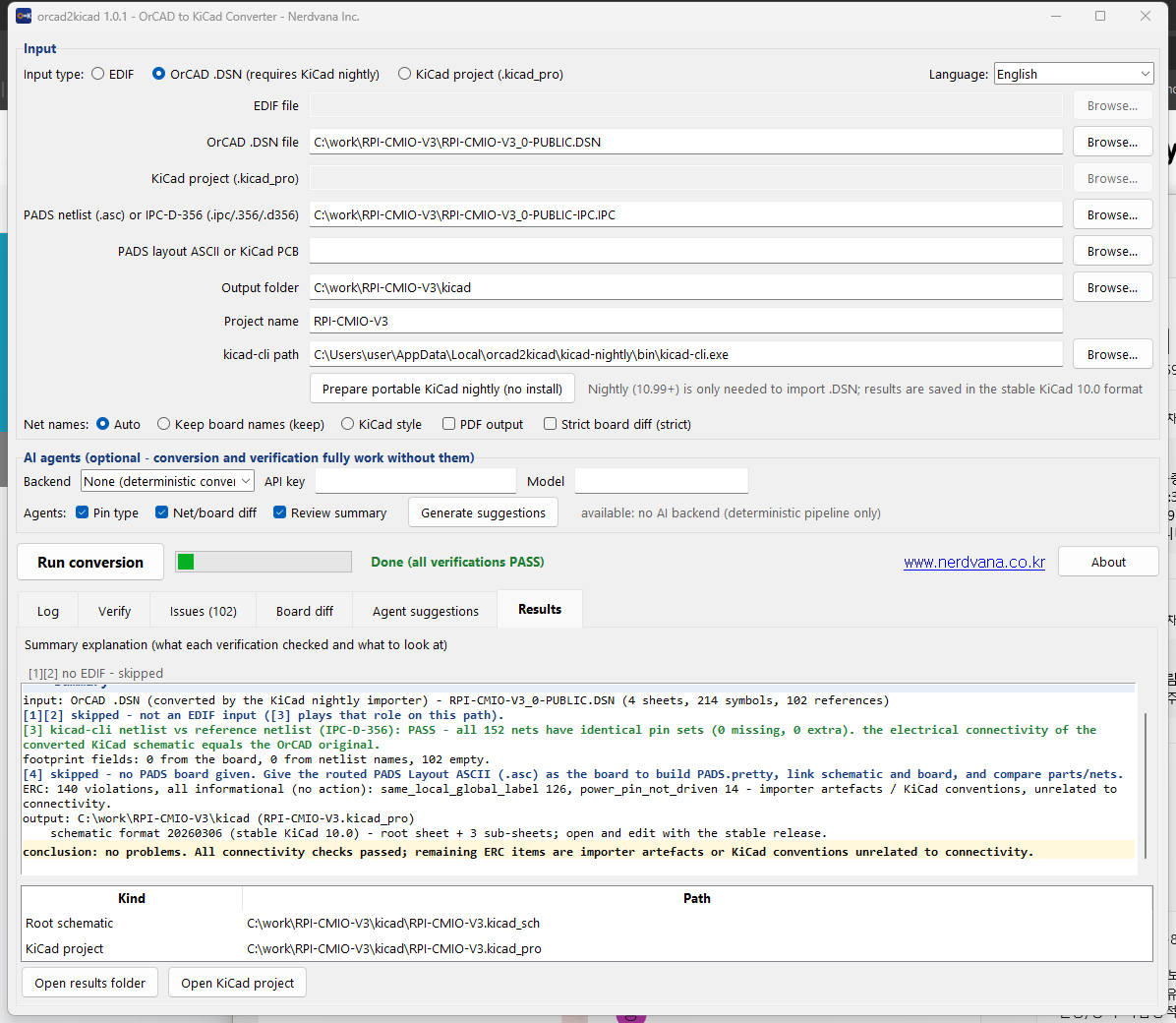
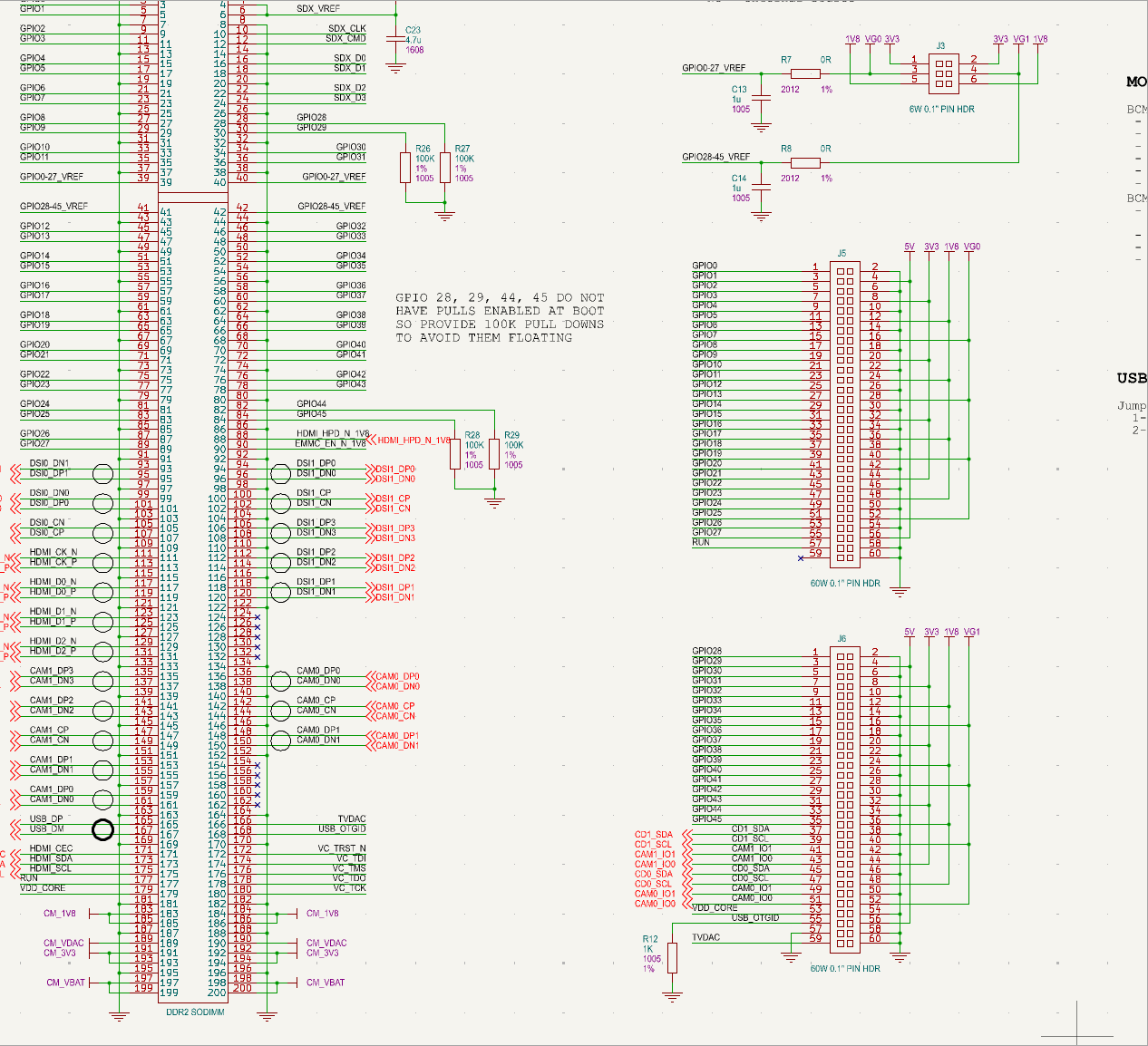
Example circuit: the publicly released Raspberry Pi Compute Module IO Board V3 design files (RPI-CMIO-V3_0-PUBLIC.DSN, © 2015 Raspberry Pi (Trading) Ltd), converted with orcad2kicad. The Raspberry Pi Foundation and Raspberry Pi (Trading) Ltd are not affiliated with and do not endorse this tool.
How do we know the conversion is correct?
Trusting a conversion tool on faith is too expensive when schematic errors are on the line. Rather than asking you to eyeball the result, orcad2kicad treats the PADS2000 netlist OrCAD exports as the reference answer and automatically checks whether every net's REF/PIN set matches the original 100%.
An EDIF input gets three independent checks ([1] a connectivity join comparison, [2] a wire geometry comparison, [3] a comparison against the netlist KiCad itself exports), and a .DSN input gets [3]. Link an existing PADS board file and a fourth check ([4]) compares the board against the schematic too. So instead of assuming "the converter probably got it right," you get a report of exactly which net differs and why.
Frequently asked questions
EDIF or .DSN — which should I use?
If you can still run OrCAD Capture, exporting EDIF 2.0.0 is a solid, stable option. If OrCAD isn't available at all and you can't export EDIF, feed it the .DSN file directly instead — the prepare-portable-nightly feature sets up the environment that needs automatically.
Which KiCad version do I need?
Stable KiCad 10.0 is enough for normal conversion, verification, and later PCB work. A nightly build is only needed to read .DSN files directly without OrCAD.
Do I need to install the nightly build on my system?
No. orcad2kicad's prepare feature just downloads the official archive and extracts it — a portable approach. It never runs an installer, so there is no separate install step; it works right where it's extracted.
Can I use this commercially?
Yes. orcad2kicad is MIT-licensed open source — free for personal and commercial use, and modifying or redistributing the source is allowed under the license terms.
Is the source code available?
Yes. The full source is published on GitHub under the MIT license, so anyone can clone it, build it, or modify it. A pre-built Windows executable (exe) is also provided.
Does this work on macOS or Linux, not just Windows?
The pre-built executable is Windows-only, but the tool itself is plain Python 3.10+ standard library, so running it from source gives you both the GUI and CLI on Linux and macOS too (conversion and verification still need kicad-cli from a stable KiCad 10.0 install, on any platform).
Do I need OrCAD installed? Does the tool read .DSN files itself?
No. orcad2kicad requires and includes no Cadence files — no OrCAD installation, license or libraries — and it does not read .DSN files itself. .DSN parsing is done by KiCad's own OrCAD importer (kicad-cli nightly) as distributed by the KiCad project; this tool runs it and then cleans up and verifies the output. The EDIF mode reads an EDIF 2.0.0 text file (an open standard) that you export from OrCAD yourself. You must hold the rights to the designs you convert, and final review of the result is your responsibility — the tool's verification is a comparison against your reference netlist, not a certification of design correctness.
Download
Get the latest version and the source code from the GitHub repository. Windows releases ship with a SHA-256 checksum file (SHA256SUMS.txt) alongside the zip — verifying the hash after download is recommended.
OrCAD, Allegro and Cadence are trademarks of Cadence Design Systems, Inc.; PADS is a trademark of Siemens Industry Software Inc.; KiCad is a trademark of the KiCad project. orcad2kicad is not affiliated with or endorsed by any of them; the name merely describes the file formats it handles. When the optional AI suggestions are enabled, parts of your design data are sent to the AI service you selected (nothing is sent by default).
We also do this
Nerdvana Inc. is a Seoul-based embedded hardware, firmware, and software development company, founded in 2015 and incorporated in 2018. Beyond tools like orcad2kicad, we handle circuit and PCB design, firmware development, and application software — the full span of product development, in one team.
Open-sourcing the tools we build along the way comes from the same place — AI-assisted embedded development and debugging is a research thread we keep proving out with real tooling. If you need embedded hardware or firmware work done, reach out.